How to View Invoice History
Your invoice history shows every past and upcoming charge, its status, and the plan it applies to. Here’s how to find it.
Open the Billing Portal
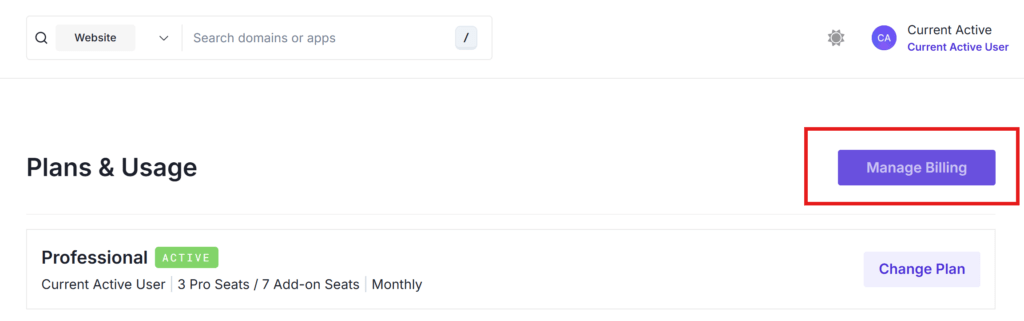
From the home page, click Manage Plan.

Then click Manage Billing on the Plans & Usage page.
Scroll to Invoice History
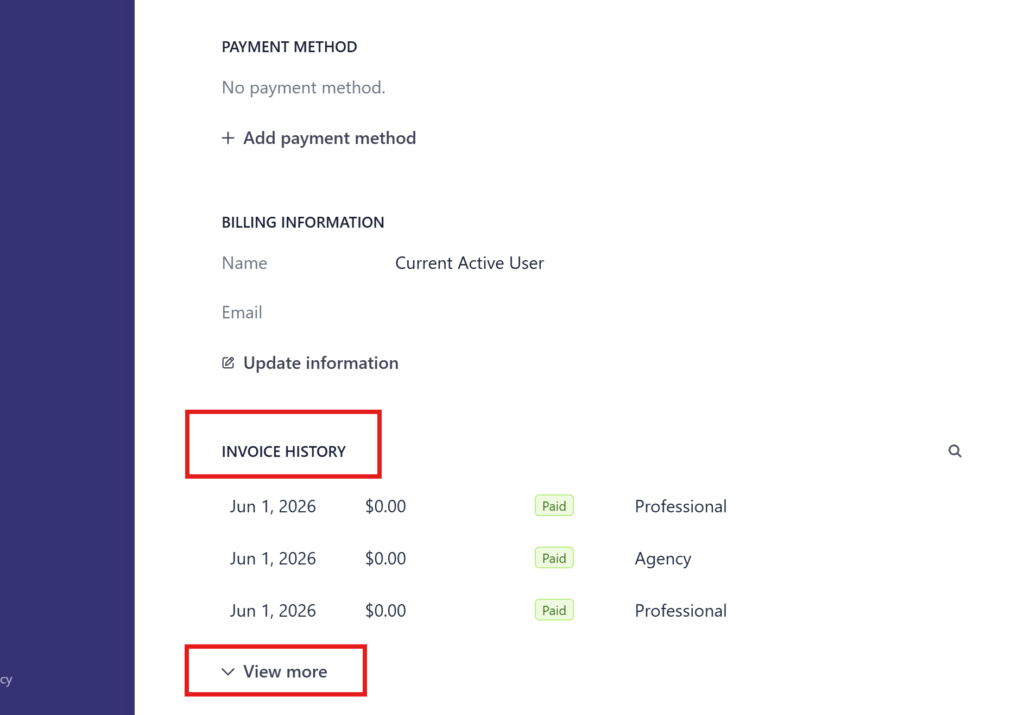
Scroll down past Payment Method and Billing Information to the Invoice History section.
Review Your Invoices
Each row shows:
- Date: when the invoice was issued.
- Amount: the charge total.
- Status: for example, Paid or Due in X days.
- Plan: which subscription or add-on the invoice covers (Professional, Agency, Extra Portal Seat, and so on).
Use the search icon to find a specific invoice.
For any queries, contact [email protected].