How to Manage Billing
Your billing dashboard is where you handle your subscription, payment method, billing details, and invoices, all in one place. Here’s how to get there.
Open Manage Plan from the Home Page
From the portal home page, look to the top-right of the welcome banner and click Manage Plan.

Open Your Billing Portal
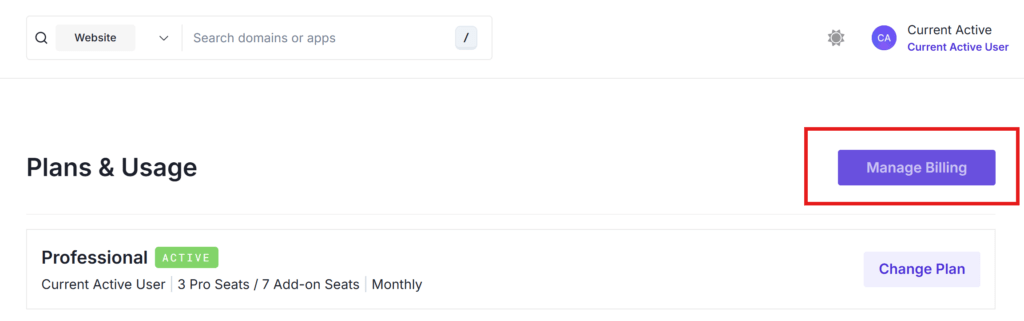
This takes you to the Plans & Usage page. To open the full billing portal, click Manage Billing in the top-right corner.
Review Your Billing Dashboard
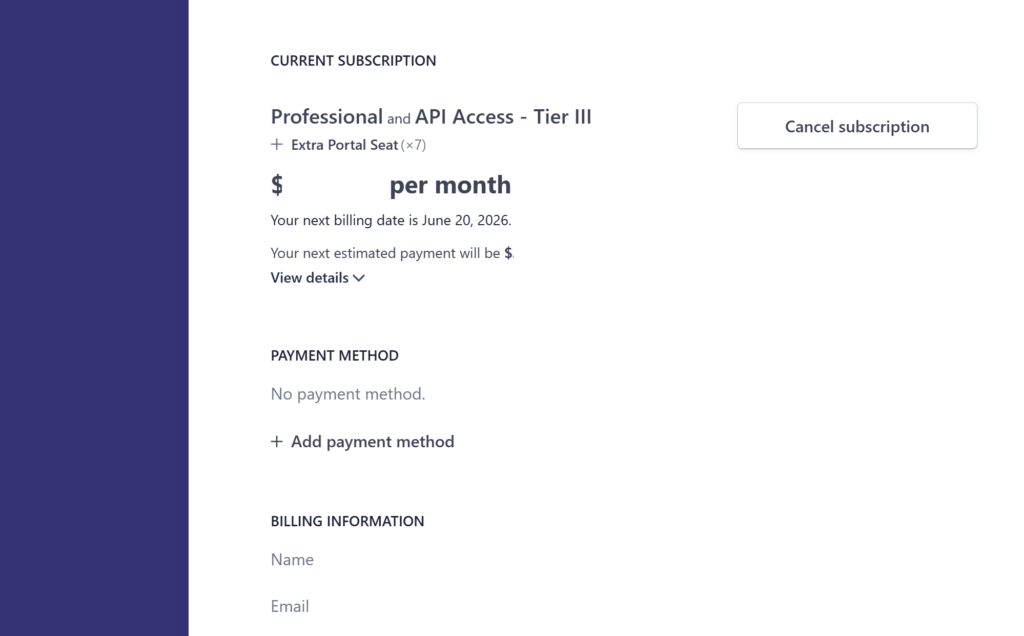
From here you can see and manage everything related to your account:
- Current Subscription: your active plan, seats, monthly cost, and next billing date.
- Payment Method: add or update the card on file.
- Billing Information: the name and email tied to your invoices.
- Invoice History: a record of past and upcoming invoices.
You can also Cancel subscription from this screen.
Need to change your plan instead? See How to Upgrade Your Plan. For payment details, see How to Update Billing Info. If you run into any issues, reach out to [email protected].